April 6, 2026
GEEKOM GeekBook X14 Pro (Intel Core Ultra Series 1) Laptop Review
GEEKOM’s great-value, 14-inch, thin-and-light GeekBook X14 has fantastic ergonomics and is brilliant for throwing in your bag and doing work on the move. Everyone likes a smart-looking, thin-and-light laptop that they can just throw in a bag and carry around, and GEEKOM’s GeekBook X14 Pro is just that. I’ve been using it as a daily […]
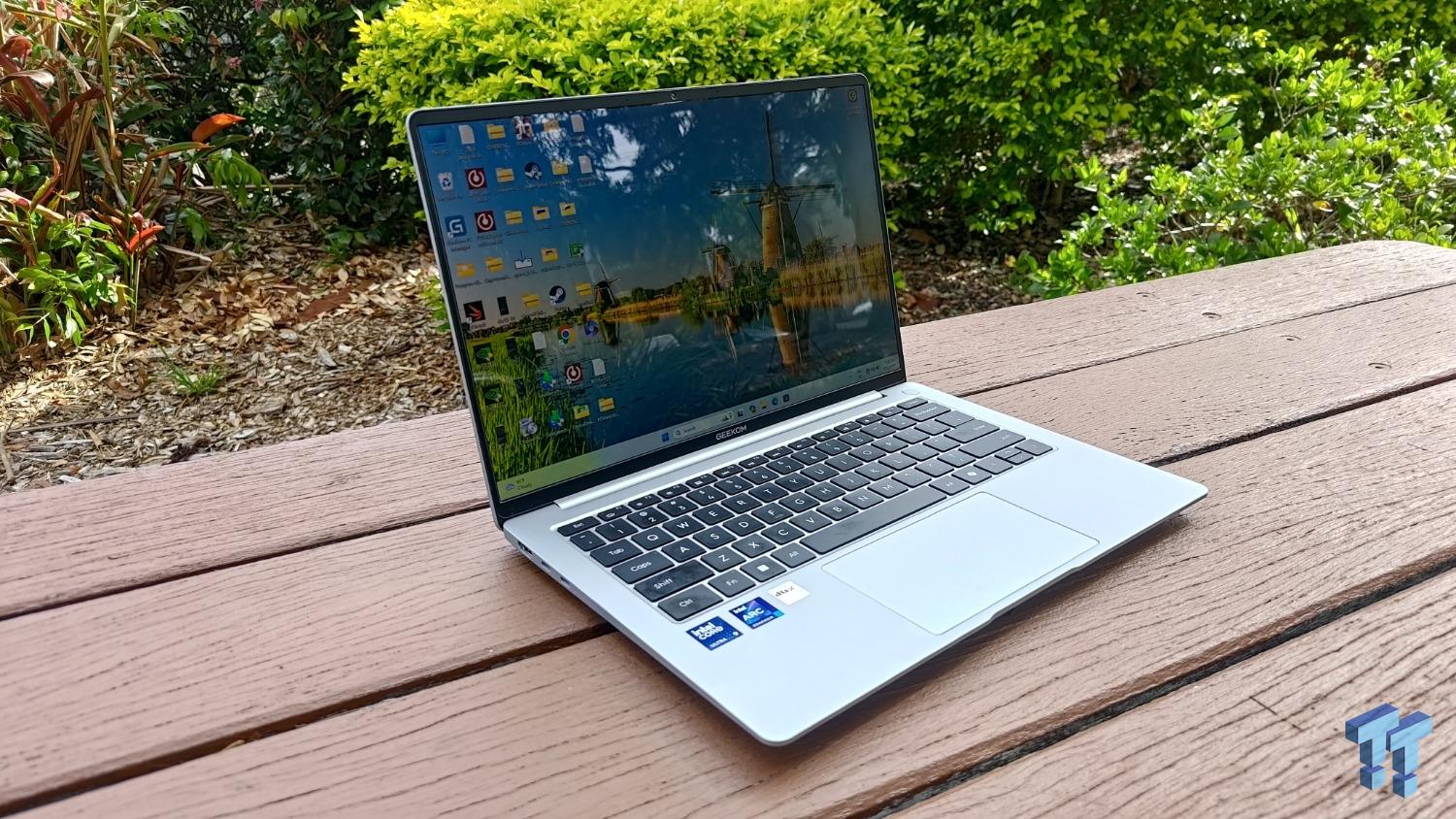
GEEKOM’s great-value, 14-inch, thin-and-light GeekBook X14 has fantastic ergonomics and is brilliant for throwing in your bag and doing work on the move.
Everyone likes a smart-looking, thin-and-light laptop that they can just throw in a bag and carry around, and GEEKOM’s GeekBook X14 Pro is just that. I’ve been using it as a daily driver for many weeks now and know where it excels and what its weaknesses are.
It’s based around Intel’s Meteor Lake processor, which is the first-gen version of Intel’s Core Ultra (Series 1) CPU – Intel’s first to feature onboard NPUs for AI processing. Intel’s Series 2 (Lunar Lake) subsequently made large improvements in terms of battery life and 3D performance, and the brand new Series 3 (Panther Lake) laptops have done likewise. So, is the GeekBook X14 Pro feeling old, slow, and underpowered? Not really in casual day-to-day use.
Here are the specs… The processor is backed up by 32GB of LPDDR5 RAM plus a generous 2TB NVMe hard drive. Multimedia comes courtesy of a 2,880 x 1,800 OLED screen and dual, 2-Watt speakers.
The magnesium-alloy chassis is barely 12mm thick, and it weighs just 1.29KG. Yet, it squeezes in a 72Wh battery and plenty of ports, including HDMI 2.0, two USB 4, a USB-A 3.2 Gen 1, and a 3.5mm headphone jack. There’s also an e-shutter switch to turn the webcam off. GEEKOM even supplies a dongle with more ports, too! It supports Windows Hello thanks to a fingerprint reader above the keyboard (on the right), but there’s no facial recognition.
Importantly for many potential buyers, this slightly older technology has dropped in price considerably (from $1,499 to $1,099 when we went to press), and you can get a variant with a lesser Core Ultra 5-125H processor (and a 1TB hard drive) for $949, so it could be a bargain. Let’s find out.
The GeekBook X14 Pro’s magnesium-alloy chassis looks good, is lightweight, and yet robust. It’s not immune to fingerprints, but they’re easy to wipe off (and I’ve seen much worse).
Opening it up reveals the 2,800 x 1,800 OLED screen, and it’s outstanding. It’s bright (450 nits) and not only does it display the generally excellent colours and contrast that we’d expect from an OLED, but its HDR performance is also top-tier – you can simultaneously see all kinds of details in shadows and highlights. It’s colour-accurate enough to display 100 per cent of the difficult DCI-P3 colour gamut. Its 120Hz refresh rate helps banish all meaningful blur surrounding fast-moving objects. If we’re nitpicking, some details can get lost in the very brightest areas, but that’s normal for all the best laptop screens. Just remember that the glossy screen can turn into a mirror when you’re outside or viewing dark content in a bright environment, but those are the fleas that come with the OLED dog.
It’s backed up by two very impressive 2-Watt speakers, which get loud and offer the sort of impressive bass (and all-around fidelity) that you might expect from a far-larger, premium laptop. The Full HD webcam is also very good and only gets slightly grainy in low light. The microphone array is excellent and captures very clear vocals, even in relatively noisy environments. Ultimately, the GeekBook X14 Pro has excellent multimedia credentials.
The keyboard is well weighted and particularly comfortable and accurate to type upon for extended periods. The location and layout of the arrow keys meant that I didn’t mind the up-and-down arrows being squished – it was easy to accurately reach for them. The trackpad is smooth and accurate, too.
On the left of the GeekBook X14 Pro are two USB-C 4 ports (one of which is used for charging) and an HDMI 2.0 port.
On the right is a USB-A 3.2 Gen 1 port, a 3.5mm audio jack, and the webcam e-shutter switch.
GEEKOM also provides a USB-C dongle that provides Gigabit Ethernet, HDMI 2.0, two USB 3.2 Gen 1 ports, and a USB-C 3.2 Gen 1 port.
Inside, there’s Wi-Fi 6E and Bluetooth 5.3. That’s a decent connectivity complement event without the dongle.
The GeekBook X14 Pro’s thin, magnesium-alloy chassis is sturdy and solid enough to avoid any creaking, and there’s only a slight flex when a twisting force is applied to the lid. It doesn’t feel quite as robust as beefier metal-clad laptops, but it doesn’t feel weak.
The laptop weighs just 1.29 kg, and the 65W GaN phone-style fast charger adds just 144g to the mix, so you’ll barely know it’s there. You may need to carry the latter with you, mind, as the 72Wh battery lasted 13 hours 12 minutes in our UL Procyon Office Productivity benchmark. That represents a full day out of the office for lightweight tasks, but that figure drops pretty quickly when doing more processor-intensive work. We’re also used to modern laptops pushing close to 30 hours, so it didn’t score quite as well as we’d like here.
Still, I had a few issues when covering all-day conferences and the like, and there’s not a scratch on it despite surviving life on the road with me in recent weeks.
The GeekBook X14 Pro’s Intel Core Ultra (Series 1) processor has somewhat last-gen architecture compared to its newer Lunar Lake and Panther Lake siblings, but it’s worth reminding ourselves what a system based around a Meteor Lake processor (with six Performance cores, eight Efficient cores, and two Low-Power Efficient cores that operate between 1 and 5.1GHz) can do.
In CrystalDiskMark, the GeekBook’s 2TB SSD hit a very impressive 6,994MB/s write speed. That’s very fast for any single-drive laptop, so don’t expect there to be any bottlenecks here.
On the one hand, Lunar Lake’s lack of HyperThreading was a step backwards when it came to rendering tasks, but Meteor Lake, with its 22 threads, wasn’t great in the first place. While a single core score of 99 isn’t terrible for this test, its multi-core score of 594 is very low and shows that you’ll be waiting around a long time if you’re performing large rendering workloads on this laptop.
Lunar Lake brought with it a dramatically improved GPU performance over the Meteor Lake, but even it can’t easily run the 3DMark SpeedWay benchmark, which ape challenges 1,440p games with ray tracing. A score of 319 shows that the GeekBook’s 2.35GHz octa-core Intel Arc GPU managed an average framerate of just 3.2fps.
Unsurprisingly, things weren’t much better in the 4K gaming Steel Nomad test, where its score of 786 shows that it didn’t quite reach 8fps.
So, don’t expect this laptop to play the latest eye-candy-rich games.
In the slightly less difficult Solar Bay benchmark, which tests 1440p game with modest ray-tracing potential, the GeekBook scored 14,574, which is an average of 55fps, so it’s not completely without gaming chops.
In the much-easier, Full HD gaming, Night Raid test, the GeekBook averaged 181fps (a score of 25,149). So, it’s fine for casual games.
The GeekBook managed to run Shadow of the Tomb Raider smoothly at 720p, averaging 64fps. All the detail settings are set to low, but what can you expect from such a low-powered laptop?
It struggled more in Black Myth: Wukong, averaging 41fps at 720p with Low settings. Expect a lot of frame-dropping and stuttering if you’re determined to play this game.
I’m still not convinced that NPU testing is particularly meaningful, but, for the record, the GeekBook scored 80 in the UL Procyon CPU test and 153 in the GPU test.
One of my favourite, real-world tests involves the UL Procyon Video Editing benchmark, which uses Adobe Premiere to encode four 900MB UHD files. It scored a low (but not the lowest) 7,807, which means that it took 317 seconds to render the hardest test (UHD, H.265, 60fps). A 5090 gaming laptop will do it in 30 seconds, but weaker laptops can take 10 minutes.
I used the GeekBook to encode a bunch of 10-minute videos for YouTube, and each took between 40-60 minutes, so I don’t recommend this for regular video editing… but it can do it.
It’s also worth noting that while the GeekBook is mostly silent under general usage, you will get a light whoosh when set to Best Performance mode, and this will ramp up to a slightly more robust whoosh when under heavy load. The heat output on the underside follows a similar path – going from cool to lukewarm to really quite warm. However, it never felt loud and obtrusive or uncomfortably hot.
Ultimately, GEEKOM’s GeekBook X14 Pro is an excellent, ultraportable daily driver. There are rivals with better batteries and that have more power for demanding workloads, but few marry such a combination of lightweight portability with such excellent usability and ergonomics. It’s also very good value. We’re very happy to recommend it.…Read more by